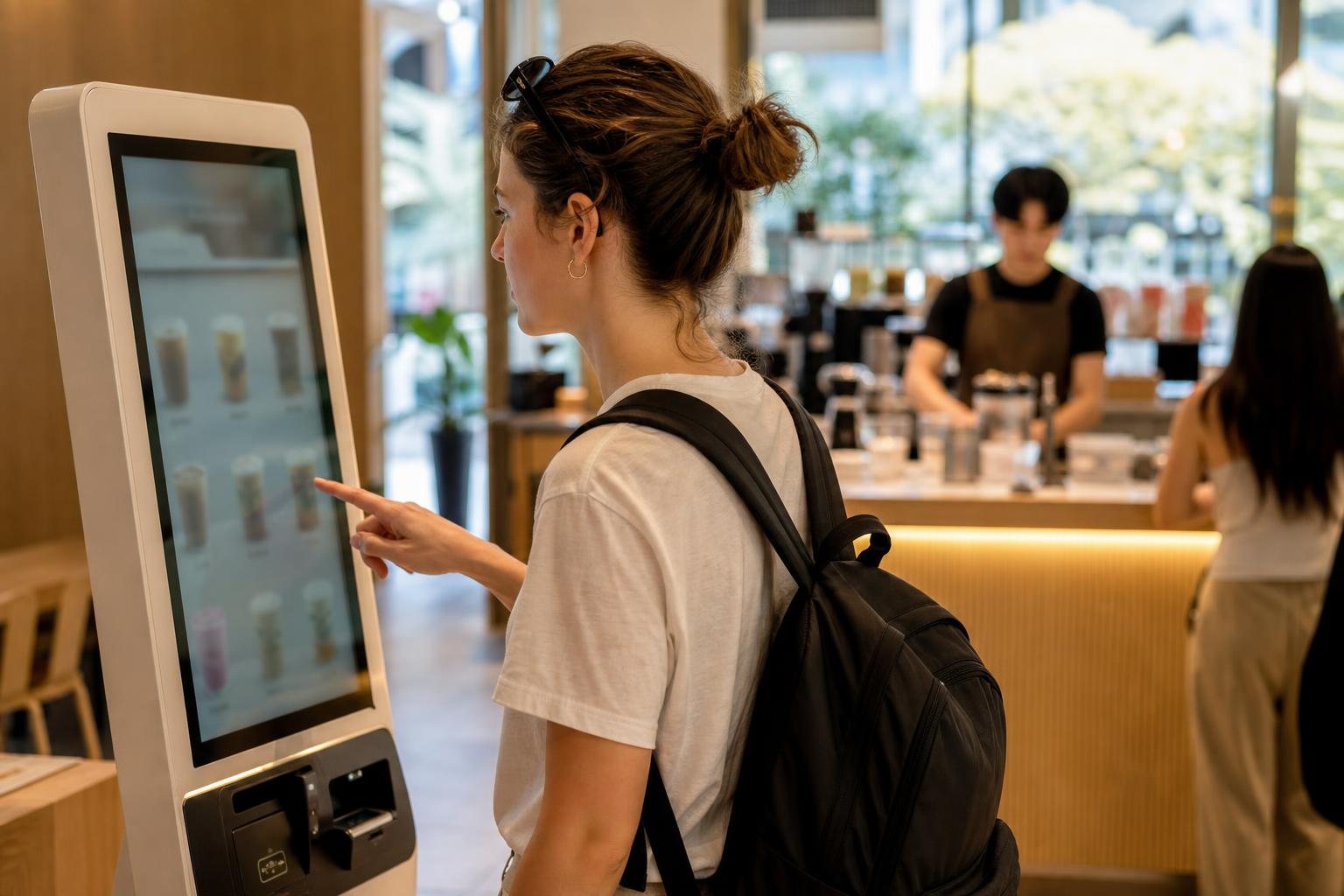
You can order at most Korean self-service café kiosks without speaking Korean. The simplest routine is: choose English if it is available, select a drink, choose hot or iced, keep default options if unsure, choose dine-in or takeaway, pay, and save your order number.
If the screen is only in Korean, product photos and a few key words are usually enough. Before paying, check the drink, temperature, quantity, and whether you selected 매장 (for here) or 포장 (to go).
What kind of café kiosk will you find?
This guide is for cafés where you order and pay on a touchscreen instead of speaking to a cashier. The final confirmation screen on the kiosk is the best guide because menus, languages, payment methods, and pickup procedures vary by café.
- Staffed café with a kiosk: Staff make the drink after you pay. Wait for an order number, drink name, or pickup call.
- Unmanned or robot café: Order on the kiosk and collect the drink from a pickup area or machine. Staff assistance may be limited.
The quickest 7-step ordering routine
1. Check for English first
Look around the corners or lower edge of the screen for English, EN, a globe icon, or 언어 (language). Select English immediately if it is offered. Not every kiosk has it.
2. Choose a drink category
Common categories include coffee, tea, smoothies, ade, desserts, and bakery items. For a first order, choose a familiar drink with a clear photo, such as an Americano, café latte, or iced tea.
- 커피: coffee
- 음료: beverages
- 티 / 차: tea
- 에이드: sparkling fruit drink
- 스무디: smoothie
- 디카페인: decaf
- 디저트: dessert
- 베이커리: bakery
3. Choose hot or iced carefully
Temperature is one of the easiest details to miss. 아이스 means iced; 따뜻한 or 핫 means hot. In many cafés, hot and iced versions are separate products and may have different sizes, prices, or options.
- For cold coffee, choose 아이스 아메리카노.
- For hot coffee, choose 아메리카노 or select Hot.
4. Keep customization simple unless you need it
The next screen may offer size, sweetness, milk, espresso shots, syrup, whipped cream, or ice choices. If you are unsure, leave the default selection; it is usually the standard recipe.
- 사이즈: size
- 샷 추가: add espresso shot
- 시럽 추가: add syrup
- 휘핑크림: whipped cream
- 우유 변경: change milk
- 얼음 적게: less ice
- 당도: sweetness level
Important: 얼음 적게 means less ice, but it does not necessarily mean more drink. Some cafés keep the recipe amount the same and leave extra space in the cup.
5. Select for here or to go
Choose 매장 or 매장 이용 if you will stay in the café. Choose 포장 or 테이크아웃 if you will take the drink away. Some kiosks use HERE and TAKE OUT even if the rest of the screen is in Korean.
6. Review the cart before payment
Look for 장바구니 (cart), 주문내역 (order details), 수량 (quantity), 총 금액 (total), 주문하기 (place order), and 결제하기 (pay).
- Confirm the drink name.
- Confirm hot or iced.
- Confirm the quantity.
- Confirm dine-in or takeaway.
- Check that no extra shot, syrup, or size upgrade was added accidentally.
7. Pay and wait for pickup
At payment, you may see 카드 결제 (card payment), 현금 결제 (cash payment), 간편결제 (mobile/easy payment), 영수증 (receipt), and 주문번호 (order number).
Major international cards are broadly accepted in Korea, but a particular café or kiosk may have its own restrictions. Bring a backup payment method and some cash rather than relying on one card alone. VISITKOREA: Shopping in Korea
- Follow the screen’s instruction to insert, tap, or remove your card.
- Keep the receipt or photograph the confirmation screen if appropriate.
- Note the order number and check the pickup counter, display board, or kiosk screen.
Useful Korean words for café kiosks
- 아메리카노: Americano
- 카페라떼: café latte
- 바닐라 라떼: vanilla latte
- 아이스: iced
- 디카페인: decaf
- 포장: to go
- 매장: for here
- 결제: payment
- 주문번호: order number
- 영수증: receipt
- 픽업: pickup
- 취소: cancel
Example: one iced Americano to go
- Tap 커피 (coffee).
- Tap 아이스 아메리카노 (iced Americano).
- Leave size and ice at the default setting unless you have a preference.
- Tap 포장 (to go).
- Make sure the quantity is 1.
- Tap 결제하기 (pay).
- Choose card payment and follow the card-reader instructions.
- Check your receipt for 주문번호 and wait at the pickup area.
If there is no English option
Use photos, icons, and prices
Most menu tiles show a product photo, price, and sometimes a hot or iced icon. Choose a familiar-looking item first. The following option screen may have clearer pictures than the main menu.
Translate before you reach the front of the line
If you use a translation app, step aside first, translate the key menu choices, then return to the kiosk. Avoid trying to translate every screen while people are waiting behind you.
Ask for help in the simplest way
If staff are present, show this sentence on your phone: “Could you help me order one iced Americano to go?”
You can also point to the screen and say 아이스 아메리카노 하나요, meaning “One iced Americano, please.” Pointing to the item is completely acceptable.
Common mistakes and what to do
Wrong temperature
Check for 아이스, ICE, HOT, or a cup image with ice before payment. Hot and iced drinks may be listed as separate items.
Wrong dine-in or takeaway choice
If you selected 매장 when you meant 포장, show your receipt to a staff member as soon as possible. It is generally easier to correct an order before preparation starts.
Unexpected extras or a higher total
Review the final order details. Options such as extra shots, syrup, whipped cream, and larger sizes can increase the price.
Card payment fails
Do not repeatedly tap the card after an error. Check whether the machine is asking you to insert, tap, remove, or complete a PIN or signature step. If it still fails, try another payment method or ask staff whether cash is accepted. Do not assume every kiosk accepts cash or every foreign-issued card.
You cannot find your drink
Check the receipt number, pickup shelf, electronic display, counter, and order-complete screen. If staff are available, showing the receipt is usually easier than explaining the full order.
Accessibility and staff support
Korea has introduced requirements intended to improve kiosk accessibility, including accessible kiosk installation and audio location guidance, with some alternative support methods described for certain smaller operators and devices. Because implementation details and effective dates can change, check the current official guidance when accessibility support is essential. Korean Government Policy Briefing: Accessible unmanned information terminals
If the screen is difficult to use because of vision, hearing, mobility, language, or interface barriers, look for a call bell or staff-call button, ask for a printed menu, or show the desired item on your phone. The Korea Consumer Agency notes that complex kiosk processes and hard-to-find next buttons can create usability difficulties. Korea Consumer Agency kiosk information
Frequently asked questions
Can I use an overseas Visa or Mastercard?
Often, yes. Major international cards are broadly accepted in Korea, but acceptance can vary by café, card network, kiosk, and merchant setup. Carry a backup payment method. VISITKOREA: Shopping in Korea
Do I need a Korean phone number?
Usually not for a normal walk-in kiosk order paid by card. Loyalty points, app promotions, membership functions, or digital receipt services may require one, so skip those options if you do not need them.
Can I pay with cash?
Possibly, but do not assume it. A kiosk may be card-only even when a café has a staffed counter. Check the payment screen or ask staff before relying on cash.
Do I need to tip?
A separate tip is not normally expected for a standard café kiosk order. Pay the displayed amount unless the kiosk clearly shows an optional additional charge.
What if I ordered the wrong drink?
Ask for help immediately and show the receipt. Whether an order can be cancelled, refunded, or remade depends on the café’s policy and whether preparation has started.
Is takeout the same as 포장?
Yes. On Korean café kiosks, 포장 generally means takeaway or to go.
Final check before you tap pay
- Correct drink?
- Hot or iced?
- Correct size and options?
- No accidental extras?
- 매장 (for here) or 포장 (to go)?
- Correct quantity?
- Can you see the final total?
- Did you save the receipt or order number?
If all of these are clear, you are ready to order without speaking Korean.
Related articles
- Korean Restaurant Table Etiquette: A First-Time Visitor’s Guide
- How to Pay in Korea: Foreign Cards, Cash and Mobile Payments
Information current as of: 2026-08-27
답글 남기기