Korea Life Guide · 한국생활 가이드

[작성자:] 한국 가이드

  • How to Use a Korean PC Bang: Guest Seats, Payment, Games, Food, and Safe Logout

    How to Use a Korean PC Bang: Guest Seats, Payment, Games, Food, and Safe Logout

    A visitor can often use a Korean PC bang without becoming a regular member, but each shop has its own rules for guest access, payment, seating, food orders, and time extensions. The most reliable approach is to go to the counter first, ask for a guest or one-time seat, confirm the price and payment method, and use only your own accounts.

    For a safe visit, do not assume that every PC bang accepts overseas cards, cash, late-night customers, or every game account. Before leaving, log out of every game launcher and website, remove any downloaded files, and make sure no browser has saved your password.

    This guide reflects official Korean sources cited below and is written for visitors using a public PC bang computer in 2026.

    What to Expect at a Korean PC Bang

    A PC bang is a public computer gaming café with numbered computers, fast internet, headsets, and a counter or kiosk for purchasing seat time. Many shops also sell meals, snacks, and drinks.

    Some locations operate late or may be open around the clock, but operating hours are decided by each business. Do not assume that every PC bang is open 24 hours or that all seats, packages, and payment methods work the same way.

    What to confirm before you pay

    • Whether the shop offers a guest, visitor, or one-time session.
    • Your seat number and whether it is a standard or premium seat.
    • The amount of time you are buying and the total price.
    • Whether you can add time later and what happens when time expires.
    • Whether the shop accepts your overseas-issued card or cash.

    Step 1: Ask for a Guest or Non-Member Seat

    If you are unfamiliar with the system, go to the counter before taking a seat. Explain that you are visiting Korea and want to use a computer temporarily.

    “Hi, can I use a computer as a guest? I do not have a Korean phone number or membership account.”

    The shop may activate a temporary seat after payment, give you a seat number and login code, or direct you to a kiosk. Some shops may offer simple membership registration instead. Ask what information is required before entering any personal details.

    If a system requires a Korean mobile number or verification that you do not have, ask whether a guest session is available. If it is not, choosing another PC bang is safer than entering inaccurate information or accepting a registration process you do not understand.

    Personal-information caution

    For a short session, provide only the information the shop actually needs. Do not enter passport details, card details, or account passwords into unfamiliar screens. Use your credentials only on the official game launcher or website you intend to use.

    Step 2: Pick a Seat and Confirm the Price

    Confirm the seat number, purchased time, total price, and expiry procedure before paying. Prices can vary by neighborhood, time of day, computer specifications, promotions, seat type, and each shop’s policy.

    Premium areas with larger monitors, reclining chairs, private booths, or higher-spec computers may cost more than standard seats. A price from another branch, an old video, or an online post may not apply to the shop in front of you.

    Useful questions to ask

    • “How much is one hour?”
    • “Is there a minimum time?”
    • “Can I add more time later?”
    • “Does this seat cost extra?”
    • “Will the computer log out automatically when my time ends?”

    Step 3: Pay With an Overseas Card or Korean Won Cash

    Card payment is common in Korea, and the Korea Tourism Organization notes that international cards are widely used. However, it also advises travelers to check availability because individual merchants may not support every card type or service. Korea Tourism Organization: Currency and payment information

    Bring both an international card enabled for overseas use and a modest amount of Korean won cash. Korean won is Korea’s official currency; banknotes include ₩1,000, ₩5,000, ₩10,000, and ₩50,000. Korea Tourism Organization: Currency information

    If your card is declined

    1. Ask whether the terminal accepts overseas-issued cards.
    2. Ask whether staff can process payment at the counter rather than through the kiosk.
    3. Ask whether cash is accepted.
    4. If neither option works, try another PC bang.

    Do not repeatedly retry a failed payment terminal. Some shop systems are designed primarily for domestic cards, Korean mobile-payment apps, or local membership systems. This does not mean all PC bangs reject foreign visitors, but it is a reason to confirm payment before activating a seat.

    Step 4: Log In to Games Safely

    After your seat is active, you may see a shop-management screen, a Windows desktop, or installed game launchers. Take a moment to check what is open before you sign in.

    Use only your own account

    1. Open the official launcher or official website for the game or service.
    2. Check that the sign-in page is legitimate.
    3. Enter your credentials manually.
    4. Decline “remember me,” “stay signed in,” and automatic-login options.
    5. Do not allow the browser to save your password.

    This applies to Steam, Riot Client, Battle.net, Epic Games, Xbox, Discord, and game-specific accounts. Preinstalled games or in-café benefits do not guarantee that an overseas account will work.

    Check game access before buying a long session

    An installed game may still require a publisher account, a region-specific launcher, age verification, identity verification, or a large update. If you only have one or two hours, check whether the game launches and whether an update is required before purchasing more time.

    Step 5: Order Food and Drinks

    Food and drinks are common at PC bangs. Depending on the shop, you may order through the desktop management software, a browser-based page, a kiosk, or directly at the counter.

    1. Check the displayed price before submitting the order.
    2. Confirm your seat number.
    3. Check whether payment is immediate or charged separately.
    4. Keep the order confirmation visible until the food arrives.
    5. Ask staff about allergies or dietary restrictions instead of relying only on photos or machine translation.

    Do not enter your overseas card number into an unfamiliar ordering page unless you understand that it is the shop’s official payment system. Paying at the counter can be the simpler alternative.

    Step 6: Extend Time Before It Runs Out

    PC bang use is commonly sold as prepaid time. Watch the remaining-time display, especially before starting an online or ranked match.

    When you have 10 to 15 minutes left

    1. Finish your current task or avoid starting a long match.
    2. Save files, screenshots, or downloads that you need.
    3. Add time at the kiosk, desktop system, or counter if necessary.
    4. Confirm that the added time appears on the timer before returning to your game.

    Do not assume unused minutes can be refunded, transferred, or used at another branch. That is a shop-specific policy. When paid time expires, the computer may lock, log out, or return to the start screen. Staff may be able to reactivate the seat, but they cannot undo an in-game loss or restore a disconnected match.

    Step 7: Log Out and Protect Your Information

    A PC bang is a public computer environment. Treat every login as temporary, and avoid handling highly sensitive information there.

    Your five-minute exit checklist

    1. Log out of every game launcher. Check Steam, Riot Client, Battle.net, Epic Games, Xbox, Discord, and any game-specific account.
    2. Log out of websites. This includes email, social media, cloud storage, travel bookings, shopping sites, and messaging services.
    3. Close all private browsing windows. If you used incognito or private mode, close every related window.
    4. Delete downloaded files. Check Downloads, Desktop, and the Recycle Bin for screenshots, tickets, documents, and other files.
    5. Check for saved credentials. If you accidentally saved a password or signed into a browser profile, remove it before leaving.

    Tasks to avoid on a public gaming PC

    • Online banking and financial-account recovery
    • Cryptocurrency wallets
    • Government, immigration, tax, or visa accounts
    • Passport uploads
    • Changing passwords for your most important accounts
    • Storing private documents

    Youth Entry Rules for PC Bangs in 2026

    Do not describe the Korean standard simply as “under 18.” Under the Youth Protection Act, a youth is generally a person under full age 19, but a person is excluded from the youth category beginning on January 1 of the year in which they turn 19. Youth Protection Act

    In practical terms for 2026, a person born in 2007 is no longer treated as a youth under this standard from January 1, 2026. A person born in 2008 or later is generally within the youth category in 2026.

    For internet computer game facilities, the legal category that includes PC bangs, the youth entry period is generally 9:00 a.m. to 10:00 p.m. The regulation provides an exception outside those hours when the youth is accompanied by a parent, guardian, teacher, workplace supervisor, or another person in a genuine supervisory role. Enforcement Decree provision on youth access to internet computer game facilities

    Bring a passport or other reliable photo ID if staff may question your age. Businesses can request proof of age and may refuse entry when requested identification is not provided. Youth Protection Act

    The youth-entry rule is not a universal opening-hours rule. Each PC bang may have different operating hours, seating policies, and entry procedures.

    Common Problems and Quick Fixes

    “The kiosk asks for a Korean phone number.”

    Ask staff whether they can activate a guest seat at the counter. If they cannot, choose another PC bang rather than entering inaccurate information.

    “My overseas card is declined.”

    Ask whether the shop accepts foreign-issued cards, then try cash or another location. A card accepted at a hotel or department store may not work with every PC bang terminal.

    “The game asks for Korean identity verification.”

    This is likely a publisher or account requirement that shop staff cannot bypass. Try a title that works with your current account, or ask whether another installed game is available.

    “I cannot read the food-ordering screen.”

    Ask at the counter, use a translation tool if appropriate, and confirm your seat number and final total before ordering.

    “I forgot to log out.”

    If you notice immediately, return to the computer and sign out. If you have already left, use your phone to change the affected password, review active sessions, and use the service’s sign-out-from-other-devices option where available.

    FAQ

    Can a tourist use a Korean PC bang without membership?

    Often, yes, but it is not guaranteed. Ask for a guest, visitor, or one-time session at the counter because every shop can use a different customer-management system.

    Do I need a Korean phone number?

    Not always. Some PC bangs can offer guest access, while others use systems centered on local membership details. Confirm this before paying.

    Can I pay with a foreign credit card?

    Possibly, but not everywhere. International cards are widely used in Korea, while each merchant can have different terminal and service availability. Carry Korean won as a backup. Korea Tourism Organization: Currency and payment information

    Can I use my Steam or Riot account?

    You can try using your own account, but regional availability, publisher requirements, account verification, and updates can affect access. Test the game before paying for a long session.

    Can I stay overnight?

    Do not assume that you can. Store hours and seating policies vary. Visitors classified as youth under the Korean legal standard are generally limited to entry from 9:00 a.m. to 10:00 p.m., subject to the legal accompaniment exception. Enforcement Decree provision on youth access

    Is it safe to log into email or banking?

    It is safer not to use a public PC bang computer for banking or other high-risk accounts. If you must sign in to a less-sensitive service, use private browsing where available, do not save credentials, and log out completely when finished.

    Final Checklist Before You Sit Down

    • Ask for a guest session first.
    • Confirm the price, seat number, time-expiry policy, and payment method.
    • Keep Korean won cash as backup if an overseas card fails.
    • Use only your own game accounts.
    • Do not save passwords, browser profiles, or card details.
    • Check the timer before starting a long match.
    • Log out of every account and delete downloaded files before leaving.

    Information current as of: 2026-08-25

    Sources and references

  • How to Order Food at a Korean Convenience Store: A First-Time Guide

    How to Order Food at a Korean Convenience Store: A First-Time Guide

    The easiest way to buy food at a Korean convenience store is to choose an item from the shelf, bring it to the cashier, and say “이거 데워 주세요” (igeo dewo juseyo) if you would like it heated. Most meals are not ordered from a menu; convenience stores work more like small supermarkets with ready-to-eat food.

    For a simple first meal, choose a packed rice meal, kimbap, a sandwich, or cup noodles. Before opening cup noodles, check whether that specific branch has hot water. Microwaves, seating, hot-water dispensers, operating hours, and available services can differ by store.

    What to Buy First

    Packed rice meals: the easiest hot option

    Look in refrigerated shelves for these Korean terms:

    • 도시락 (dosirak): packed meal or lunch box
    • 덮밥 (deopbap): rice bowl with toppings
    • 볶음밥 (bokkeumbap): fried rice
    • 파스타 (pasta): ready-made pasta

    Take the meal to the cashier and say:

    이거 데워 주세요.
    Igeo dewo juseyo.
    “Please heat this.”

    Do not microwave the item yourself unless the store permits self-service use and the package instructions allow it. Staff may heat it, direct you to a microwave, or tell you that heating is unavailable.

    Kimbap and sandwiches: easy with no preparation

    • 김밥 (gimbap): seaweed rice roll
    • 삼각김밥 (samgak gimbap): triangle-shaped rice snack
    • 샌드위치 (saendeuwichi): sandwich
    • 샐러드 (saelleodeu): salad

    Triangle gimbap and cup noodles are a well-known Korean convenience-store pairing. VISITKOREA highlights convenience-store foods including this type of combination.

    Diet note: kimbap and sandwiches often contain egg, tuna, meat, mayonnaise, fish cake, or sauces. A product with “vegetable” in its name is not automatically vegetarian or vegan.

    Cup noodles: check for hot water first

    Before buying cup noodles, look for a hot-water dispenser or ask:

    뜨거운 물 어디 있어요?
    Tteugeoun mul eodi isseoyo?
    “Where is the hot water?”

    If there is no hot-water station, do not open the cup until you have another safe way to prepare it. Ready-to-eat meals, kimbap, sandwiches, burgers, and instant foods are among the fresh-food ranges sold by major chains, although exact stock varies by branch. See an example of a convenience-store fresh-food range from emart24.

    Step-by-Step: Buying a Meal

    1. Read the package before checkout

    For chilled or ready-to-heat food, check the heating directions, date information, allergens, ingredients, and any sauce or topping packets inside. For lunch boxes, kimbap, burgers, and sandwiches, date information deserves particular attention.

    Korean food-labeling rules require allergen information for specified ingredients and may include cross-contact warnings. Read the Ministry of Food and Drug Safety’s food-labeling information. Food-safety guidance also advises consumers to check date information on prepared foods. See the Food Safety Korea guidance.

    For a severe allergy or medically necessary diet, do not rely only on photos, a product name, or a translation app. Read a label you can fully verify, and do not eat the item if you are unsure.

    2. Ask for heating and utensils

    Place the food on the counter, point to it if helpful, and use these phrases:

    • 이거 데워 주세요. Igeo dewo juseyo. — Please heat this.
    • 젓가락 주세요. Jeotgarak juseyo. — Chopsticks, please.
    • 포크 주세요. Pokeu juseyo. — Fork, please.
    • 숟가락 주세요. Sutgarak juseyo. — Spoon, please.
    • 봉투 주세요. Bongtu juseyo. — A bag, please.
    • 여기서 먹어도 돼요? Yeogiseo meog-eodo dwaeyo? — Can I eat here?

    Some shops provide utensils near the counter or microwave area, while others give them to you at checkout. The cashier may heat the meal before payment or ask you to pay first; follow their direction.

    3. Confirm the branch setup

    Do not assume every location is open 24 hours or has seating, a public microwave, or hot water. Store services and hours can vary by branch. An emart24 store locator is one example of how chain stores list branch-specific information.

    How to Prepare Common Foods

    Cup noodles

    1. Open the lid only partway.
    2. Add powder, flakes, oil, or sauce only as the package directs.
    3. Pour hot water to the marked fill line.
    4. Close the lid and wait for the printed time.
    5. Stir carefully before eating.

    Common mistakes to avoid:

    • Do not microwave cup noodles unless the package explicitly says they are microwave-safe.
    • Do not fill above the line; hot liquid can spill while you carry the cup.
    • Do not accidentally use a cold-water dispenser.
    • Do not put unopened sauce packets into the noodles.

    If you do not handle spicy food well, be cautious with labels such as 매운맛 (spicy flavor), 불닭 (fire chicken), 마라 (mala), and 핵불닭 (extremely spicy fire chicken).

    Triangle gimbap

    Most triangle gimbap wrappers are marked 1, 2, and 3. Pull strip 1 down first, then remove sides 2 and 3. The design keeps the seaweed separate from the rice until opening. Removing the entire wrapper at once can tear the seaweed or leave plastic caught in the food.

    Microwave meals

    There is no universal microwave rule. Depending on the meal, you may need to peel back a film lid, remove a sauce packet, leave the lid partly attached, or heat only one compartment. Follow the instructions on that exact package.

    Simple First-Time Meal Plans

    A warm and filling meal

    • One packed rice meal or rice bowl
    • One bottled drink
    • Optional yogurt or fruit cup

    이거 데워 주세요. 젓가락도 주세요.
    Igeo dewo juseyo. Jeotgarakdo juseyo.
    “Please heat this. Chopsticks too, please.”

    A quick late-night snack

    • Cup noodles
    • Triangle gimbap
    • Water or a milk drink

    Confirm that hot water is available before buying the noodles. If it is not, choose a sandwich, bread, or another ready-to-eat snack instead.

    A no-microwave breakfast

    • Sandwich
    • Banana, yogurt, or salad
    • Coffee or juice

    This is a practical choice if you are leaving early, do not have access to a microwave, or prefer not to eat in the store.

    Promotions, Safety, and Etiquette

    Understand 1+1 and 2+1 offers

    • 1+1: buy one, get one free
    • 2+1: buy two, get one free

    Check that the exact flavor, size, and brand match the shelf label. Promotions may change by month, chain, and branch. If you have limited luggage, no refrigerator, or no need for extras, buying one item can be the better choice.

    Choose refrigerated food carefully

    Select food that appears properly chilled and has clear date information. Avoid packages that are swollen, leaking, damaged, or left outside refrigeration when they appear intended to be cold. Heat only what you plan to eat soon, rather than saving a heated meal for later without safe storage.

    Clean up after eating

    • Use designated bins if the shop provides them.
    • Do not leave wrappers, cups, or utensils on counters or outside the store.
    • If you use a table, clear your space promptly.
    • Be careful carrying hot food through narrow aisles and near entrances.

    FAQ

    Can I ask the cashier to microwave any food?

    No. You can ask, but follow both the package instructions and the staff member’s answer. Some food is meant to be eaten cold, some packaging is not microwave-safe, and some branches do not offer microwave access.

    Do I need to speak Korean?

    No. Pointing at the food and saying “dewo juseyo” is often enough to request heating. The short phrases above cover many basic situations.

    Can I make ramen inside every Korean convenience store?

    No. Some stores have hot water, microwaves, and seating, while others do not. Check before opening the noodles.

    Are all Korean convenience-store meals spicy?

    No, but spicy choices are common. If you are unsure, choose a sandwich, plain kimbap, a rice meal, salad, yogurt, or bread, and check the label before buying.

    Can I eat inside the store?

    Ask first: “여기서 먹어도 돼요?” Some stores have tables, while others have no seating or very little space.

    Final Tip

    On your first visit, keep it simple: buy one meal you understand, one drink, and the utensils you need. After you learn how a particular branch handles microwaves, hot water, and packaging, trying more Korean convenience-store food becomes much easier.

    Information current as of: 2026-08-26

    Sources and references

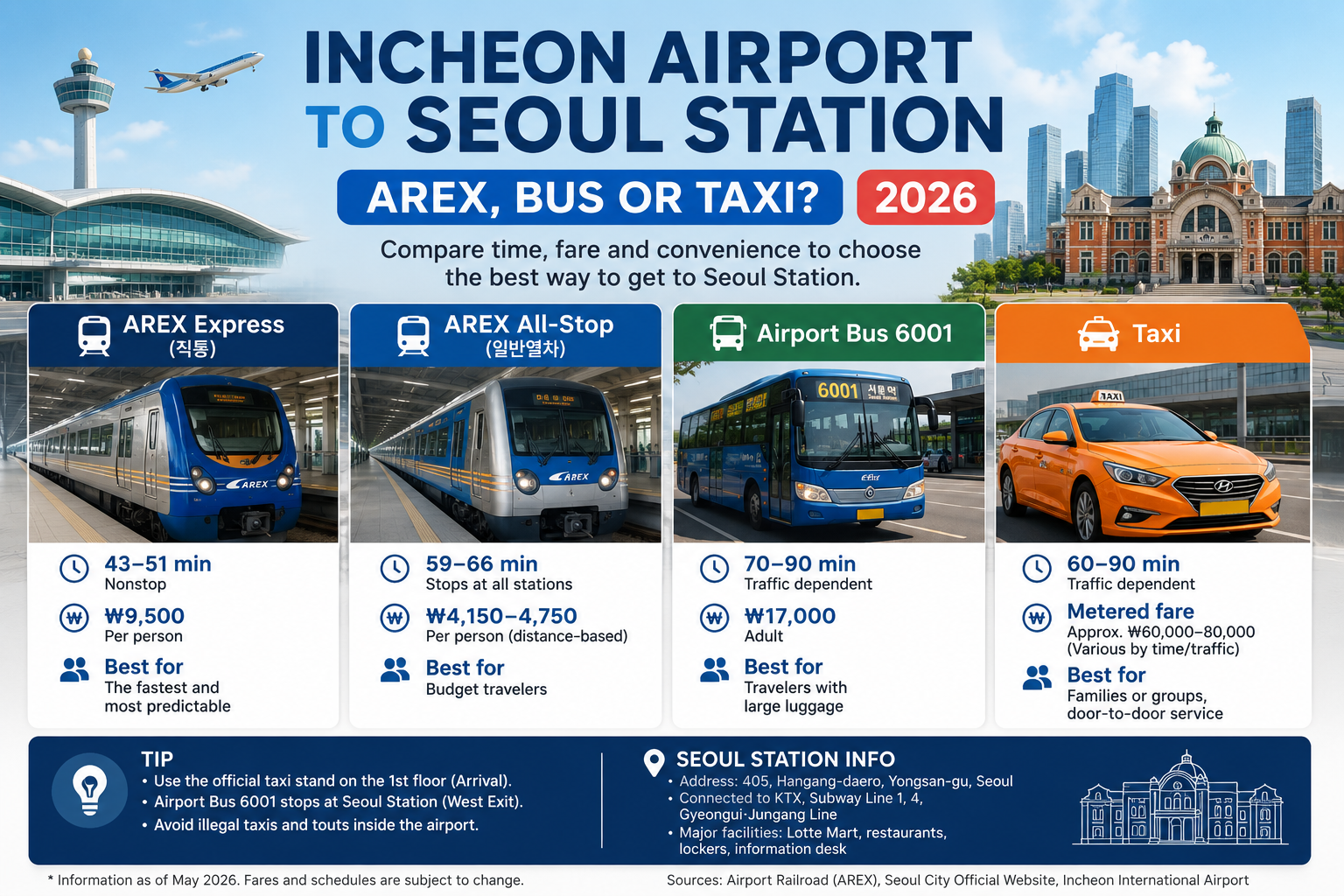
  • Incheon Airport to Seoul Station: AREX Express vs All-Stop, Bus & Taxi

    Incheon Airport to Seoul Station: AREX Express vs All-Stop, Bus & Taxi

    If your first destination in Korea is Seoul Station, the simplest choice is usually the AREX Express Train. It runs nonstop from Incheon International Airport to Seoul Station and avoids road traffic.

    But it is not always the best option. The AREX All-Stop Train costs less, airport bus 6001 can be easier with heavy luggage, and a taxi may make sense for a family or group carrying several bags.

    Quick answer: Which option should you choose?

    Option Current fare to Seoul Station Best for
    AREX Express T1 ₩17,700 · T2 ₩18,300 Nonstop, predictable trip to Seoul Station
    AREX All-Stop T1 ₩4,750 · T2 ₩5,350 Lowest rail fare; intermediate stops
    Airport bus Varies by route Heavy luggage or a stop closer to your hotel
    Taxi Metered/route-based; surcharges may apply Door-to-door travel, families and groups

    Important: Older travel posts may still show the AREX Express at ₩9,500. The current AREX passenger tariff lists Seoul Station–Terminal 1 at ₩17,700 and Seoul Station–Terminal 2 at ₩18,300. The All-Stop fares are ₩4,750 from T1 and ₩5,350 from T2.

    Airport Bus 6001
    Travel time depends on traffic · Adult ₩17,000
    Best for: Travelers with heavy luggage or those who prefer a bus stop close to their accommodation.

    Taxi
    Travel time and fare depend on traffic, taxi type, tolls and time of day.
    Best for: Families, groups, heavy luggage and door-to-door travel.

    Best overall choice: If Seoul Station itself is your destination, the AREX Express is usually the easiest option unless price, luggage or your final destination makes another choice more convenient.

    1. AREX Express: the easiest choice for Seoul Station

    The AREX Express Train runs nonstop between Incheon Airport and Seoul Station.

    The Express runs nonstop to Seoul Station. The current official AREX tariff lists a one-way adult fare of ₩17,700 from Terminal 1 and ₩18,300 from Terminal 2. Check the live timetable for your travel date because departure intervals and operating details can change.

    Because the train is not affected by Seoul road traffic, it is especially useful if you have a KTX train, hotel check-in, tour reservation or another time-sensitive plan after arrival.

    Do not treat the train time as your total airport-to-KTX connection time. Immigration, baggage claim, terminal walking time, waiting for the next train and moving through Seoul Station all take additional time.

    2. AREX All-Stop Train: cheaper, but slower

    The AREX All-Stop Train uses the same airport rail corridor but stops at intermediate stations.

    The All-Stop train serves intermediate stations such as Hongik University and Gongdeok. The current official AREX tariff lists ₩4,750 from Terminal 1 to Seoul Station and ₩5,350 from Terminal 2.

    This is usually the better choice if saving money matters more than saving 15–20 minutes.

    If you plan to use buses and subways after arriving in Seoul, see our Korean Transportation Card Guide for Tmoney, EZL and transfer basics.

    3. Airport limousine bus 6001: useful when luggage matters

    Airport Limousine 6001 serves Seoul Station as part of its route between Incheon Airport and central Seoul.

    The current adult fare is ₩17,000. The bus is affected by road conditions, but the luggage compartment can make it more comfortable for travelers carrying large suitcases.

    4. Taxi: easiest with several bags

    A taxi provides the simplest door-to-door journey and can be practical for families, groups, elderly passengers or travelers carrying several large suitcases.

    Use an official airport taxi stand and avoid unsolicited ride offers inside the terminal. Taxi fares vary by vehicle type, route, traffic, tolls and applicable night surcharges.

    What if your hotel is not actually near Seoul Station?

    Do not choose Seoul Station automatically just because your hotel is in Seoul.

    If your accommodation is near Hongdae, Myeongdong, Dongdaemun or Gangnam, another airport train stop or airport bus route may reduce transfers.

    For a broader comparison by Seoul neighborhood, see our Incheon Airport to Seoul guide.

    Arriving at Seoul Station for a KTX connection

    Seoul Station is one of Korea’s main KTX hubs, so many international travelers go directly there after landing at Incheon Airport.

    Leave a generous buffer. A delayed flight, immigration queue or slow baggage claim can quickly remove the time you expected to have between AREX and KTX.

    Three quick examples

    • Solo traveler going straight to Seoul Station: compare the Express with the much cheaper All-Stop train; choose based on time versus fare.
    • Two adults with several large suitcases: compare the cost and walking involved in rail with an airport bus stop near the hotel or a taxi.
    • Arrival after normal rail service: use the separate Incheon Airport to Seoul after midnight guide for N6000, N6002, N6701 and N6703 night-bus options.

    Before leaving Incheon Airport

    • Confirm whether you arrived at Terminal 1 or Terminal 2.
    • Check the latest AREX or bus timetable for your actual travel date.
    • Save your hotel’s Korean name and Korean address.
    • If taking bus 6001, confirm the route number and exact stop.
    • If taking a taxi, use the official airport taxi stand.
    • If connecting to KTX, allow extra time for airport and station delays.

    Frequently asked questions

    Is AREX Express faster than the All-Stop Train?

    Yes. Current official information gives an approximate journey of 43 minutes from Terminal 1 and 51 minutes from Terminal 2 on the Express, compared with about 59 and 66 minutes respectively on the All-Stop Train.

    Is the AREX Express worth the extra money?

    For a traveler going directly to Seoul Station, often yes. It costs more than the All-Stop Train but is faster and has no intermediate stops. Budget travelers who are not in a hurry may prefer the All-Stop Train.

    Which airport bus goes to Seoul Station?

    Airport Limousine 6001 serves Seoul Station. Check the operator’s current route and timetable before travel because operating details can change.

    Should I take a taxi from Incheon Airport to Seoul Station?

    A solo traveler will usually spend much less by taking AREX. A taxi becomes more attractive for families or groups, travelers with mobility difficulties, several large bags or late arrivals when public transportation is limited.

    Official sources

    Information checked: October 2, 2026.

    Fares, timetables, stops and operating rules can change. Check the relevant official operator again for your actual travel date.

  • 외국인 국민연금 반환일시금, 출국 전에 확인할 5가지

    외국인 국민연금 반환일시금, 출국 전에 확인할 5가지

    한국에서 국민연금 보험료를 납부한 외국인이 출국한다고 해서 모두 반환일시금을 받을 수 있는 것은 아닙니다. 국적, 사회보장협정, 상호주의, 체류자격, 가입이력과 지급사유를 함께 확인해야 합니다.

    30초 핵심요약

    • 출국 사실만으로 반환일시금이 자동 지급되지는 않습니다.
    • 국적별 사회보장협정·상호주의와 E-8·E-9·H-2 등 체류자격 적용 여부를 먼저 확인합니다.
    • 급여명세서가 아니라 국민연금공단의 개인별 가입기록을 기준으로 판단하고, 출국 전·후 신청경로에 맞춰 서류를 준비합니다.

    지급 가능성을 판단하는 세 가지 경로

    확인 경로 판단할 내용 다음 행동
    사회보장협정 한국과 해당 국가의 협정에 반환일시금 지급 규정이 있는지 확인 국민연금공단의 국가별 협정 내용을 확인합니다.
    상호주의 해당 국가가 한국 국민에게 유사한 급여를 지급하는지 확인 국적별 지급대상 안내와 개인 가입기록을 함께 확인합니다.
    특정 체류자격 E-8·E-9·H-2 가입기간에 적용되는 별도 지급 근거 확인 과거 체류자격 변경이력과 해당 기간의 가입기록을 구분합니다.
    어느 경로인지 불명확 국적·체류자격·가입기간 중 하나라도 자료가 부족한 경우 출국 전에 공단에 개인별 지급 가능 여부와 준비서류를 확인합니다.

    같은 국적이라도 가입기간, 체류자격 변경이력, 실제 출국 여부 등에 따라 결과가 달라질 수 있습니다. 인터넷의 국가 목록만 보고 단정하지 말고 국민연금공단의 개인별 가입기록을 확인해야 합니다.

    상담 전에 정리할 정보

    • 국적, 생년월일, 현재와 과거의 체류자격
    • 국민연금 가입 사업장과 근무기간
    • 퇴직일과 실제 출국 예정일 또는 출국일
    • 과거 반환일시금 청구 여부
    • 본인 명의 국내 또는 해외 계좌 정보

    여러 사업장에서 근무했거나 사업장 변경 사이에 공백이 있다면 급여명세서만으로 가입기간과 예상액을 계산하지 말고 공단 기록을 기준으로 확인하세요.

    출국 전 신청과 출국 후 신청

    출국 전

    국내 체류 중에는 신분, 가입내역과 지급 가능성을 확인하고 부족한 서류를 보완하기 쉽습니다. 출국예정 사실을 입증하는 자료, 지급계좌와 신청 시기를 미리 확인해야 합니다. 실제 지급은 출국 사실 확인 등 공단 절차에 따라 진행됩니다.

    출국 후

    해외에서 신청하면 신분증명, 서명확인, 해외계좌, 번역·인증, 국제우편 또는 대리신청 서류가 추가될 수 있습니다. 국가와 신청경로에 따라 요구 형식이 다르므로 서류를 보내기 전에 공단에 확인하는 것이 안전합니다.

    기본 확인자료

    • 여권 인적사항면과 출입국 확인자료
    • 외국인등록증 또는 국내 체류기록
    • 국민연금 가입내역
    • 퇴직 및 출국예정·출국사실 자료
    • 본인 명의 계좌를 확인할 수 있는 자료
    • 대리신청 시 위임관계와 본인서명 확인자료

    위 목록은 사전점검용입니다. 실제 청구서식과 첨부서류는 국적, 거주국, 신청 시점과 대리 여부에 따라 달라질 수 있습니다.

    자주 발생하는 보완

    • 여권과 등록증, 계좌의 영문성명이 서로 다름
    • 출국일 또는 퇴직일을 확인할 자료가 부족함
    • 해외계좌의 은행명·지점·SWIFT 코드 등 송금정보가 불완전함
    • 위임장과 신분자료의 서명이 다름
    • 국제우편 또는 보완 연락을 받을 주소·전화번호가 누락됨

    접수 전 점검 순서

    1. 국민연금 가입내역을 확인합니다.
    2. 국적·체류자격별 지급 근거를 확인합니다.
    3. 출국 전 또는 출국 후 신청경로를 정합니다.
    4. 신분자료와 본인명의 계좌를 점검합니다.
    5. 제출본 사본과 접수기록을 보관합니다.

    자주 묻는 질문

    한국에서 국민연금을 냈다면 외국인은 모두 돌려받나요?

    아닙니다. 국적별 사회보장협정 또는 상호주의, 체류자격과 가입기간 등 지급 근거를 확인해야 합니다.

    급여명세서로 반환액을 계산할 수 있나요?

    급여명세서는 참고자료일 뿐입니다. 실제 가입기간과 납부내역은 국민연금공단의 개인별 기록을 기준으로 확인해야 합니다.

    한국을 출국한 뒤에도 신청할 수 있나요?

    가능한 신청경로가 있지만 거주국과 신청방식에 따라 신분증명, 서명확인, 해외계좌, 번역·인증 또는 우편서류가 추가될 수 있습니다.

    함께 확인할 안내

    Korean National Pension Refund for Foreign Workers

    공식 확인처

    작성·확인 기준일: 2026년 9월 27일. 지급 가능 여부와 예상액은 국적·체류자격·가입기록·출국상태에 따라 달라지므로 국민연금공단의 개인별 확인이 필요합니다.

    전문 검토: 대한민국 등록 행정사 Moonhee Kim · 검토일 2026년 9월 27일

    전문 검토 및 상담

    다름행정사 홈페이지 · 모바일 업무안내·상담

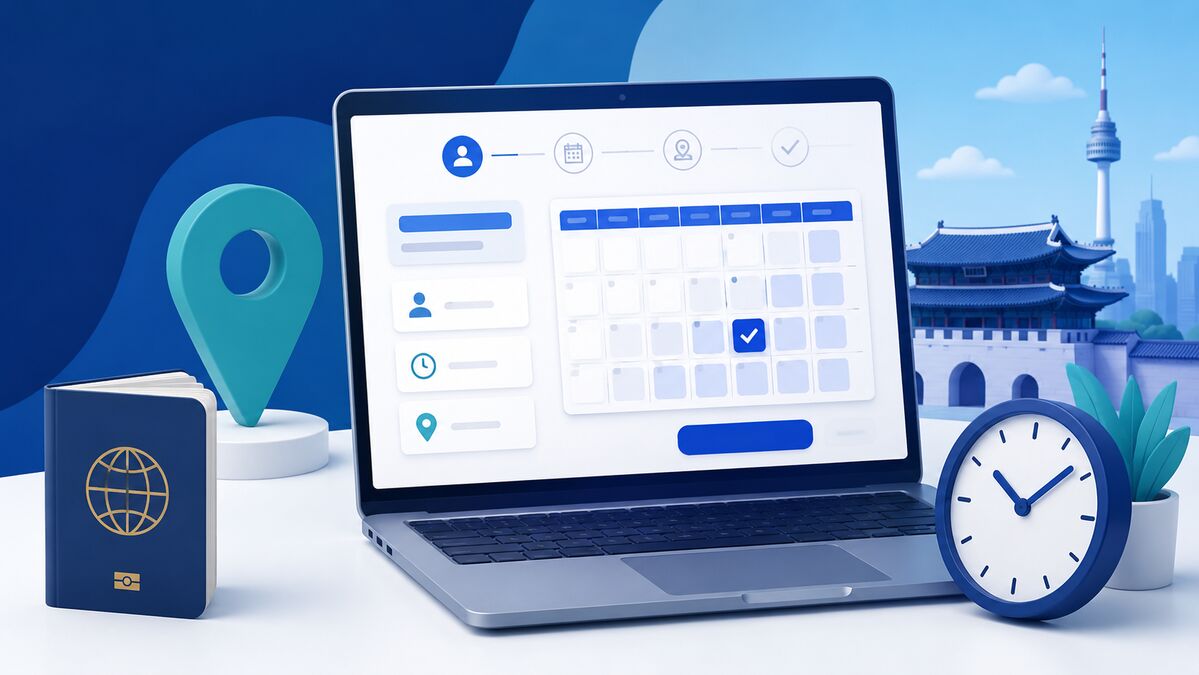
  • 하이코리아 방문예약 방법과 예약 전 확인사항

    하이코리아 방문예약 방법과 예약 전 확인사항

    외국인등록, 체류기간 연장, 체류자격 변경 등 출입국 민원을 위해 관서를 방문하려면 먼저 하이코리아에서 방문예약 필요 여부를 확인해야 합니다. 방문예약은 방문시간을 정하는 절차일 뿐, 민원이 접수됐거나 신청기한을 지켰다는 뜻은 아닙니다.

    30초 핵심요약

    • 민원 종류와 체류기간 만료일을 먼저 확인한 뒤 예약합니다.
    • 가까운 관서가 아니라 실제 체류지를 담당하는 관서를 선택해야 합니다.
    • 예약확인서만으로 신청기한을 지킨 것이 아니므로, 기한보다 늦은 예약만 가능하면 1345 또는 관할 관서에 처리방법을 확인합니다.
    하이코리아 방문예약 흐름
    1. 1. 민원 결정
      등록·연장·변경 등 구분
    2. 2. 기한 확인
      만료일·신청기한 확인
    3. 3. 관할 확인
      실제 체류지 담당 관서
    4. 4. 예약
      신청인 정보와 목적 입력
    5. 5. 서류 점검
      예약확인서와 원본 준비

    예약 전에 먼저 정할 사항

    • 처리할 민원이 외국인등록·기간연장·자격변경·등록증 재발급 중 무엇인지
    • 현재 체류자격과 체류기간 만료일
    • 실제 체류지에 따른 관할 출입국·외국인관서
    • 전자민원으로 처리할 수 있는 업무인지
    • 본인 방문이 필요한지 또는 학교·회사 단체접수가 가능한지

    방문예약 기본 순서

    1. 하이코리아에 접속합니다.
    2. 민원신청 → 방문예약 메뉴로 이동합니다.
    3. 여권 또는 외국인등록 정보와 연락처를 정확히 입력합니다.
    4. 현재 주소를 담당하는 관서와 민원 목적을 선택합니다.
    5. 가능한 날짜와 시간을 선택해 예약합니다.
    6. 예약확인서를 저장하고 관서·날짜·시간·신청인 정보를 다시 확인합니다.

    관할 관서를 잘못 선택하지 않는 방법

    집에서 가장 가까운 관서가 반드시 담당 관서는 아닙니다. 신고된 체류지, 실제 거주지, 신청할 민원의 종류에 따라 담당 지청이나 출장소가 달라질 수 있습니다. 하이코리아의 관할 조회 또는 외국인종합안내센터 1345를 통해 확인하세요.

    예약할 때 자주 생기는 문제

    가까운 날짜가 없습니다

    예약 가능한 시간이 마감됐을 수 있습니다. 체류기간 만료 직전에 예약을 시작하지 말고, 예약일이 법정 신청기한을 넘는다면 관할 관서나 1345에 기한 내 처리방법을 확인해야 합니다.

    예약 내용과 실제 민원이 다릅니다

    예약 목적과 준비서류가 맞지 않으면 현장에서 접수가 지연되거나 다시 예약해야 할 수 있습니다. 주소, 회사, 학교, 여권 또는 신청 목적이 바뀌었다면 기존 예약을 그대로 사용해도 되는지 확인하세요.

    가족이나 회사 담당자가 예약했습니다

    예약자와 실제 신청인의 영문성명, 여권번호 또는 외국인등록번호, 생년월일, 연락처가 정확히 입력됐는지 확인합니다. 신청 당일 사용할 여권과 같은 정보를 사용해야 합니다.

    방문 전 서류 점검

    묶음 확인사항
    신분자료 여권, 등록증, 사진, 통합신청서
    활동자료 고용·재학·소득·사업 등 체류자격별 증빙
    거주자료 임대차계약서, 기숙사 확인서 또는 숙소제공확인서
    외국문서 번역·공증·아포스티유 또는 영사확인 필요 여부
    현장준비 수수료, 원본 제시서류, 예약확인서

    자주 묻는 질문

    방문예약을 하면 민원 신청기한을 지킨 것인가요?

    아닙니다. 예약확인서는 방문시간을 정했다는 뜻이며 민원 접수증이 아닙니다. 예약일이 기한보다 늦다면 관할 관서 또는 1345에 먼저 확인하세요.

    집에서 가장 가까운 출입국관서를 선택하면 되나요?

    반드시 그렇지는 않습니다. 실제 체류지와 민원 종류에 따른 관할 관서를 확인해야 합니다.

    예약 당일에는 예약확인서만 가져가면 되나요?

    여권·등록증·통합신청서 같은 신분자료와 체류자격별 활동자료, 체류지 입증자료, 필요한 원본과 수수료를 함께 점검해야 합니다.

    함께 확인할 안내

    한국 입국 후 외국인등록, 90일 이내 무엇을 준비해야 하나요?

    공식 확인처

    작성·확인 기준일: 2026년 9월 27일. 관서별 예약 운영, 전자민원 가능 여부와 제출서류는 달라질 수 있으므로 최신 공식 안내를 확인하세요.

    전문 검토: 대한민국 등록 행정사 Moonhee Kim · 검토일 2026년 9월 27일

    전문 검토 및 상담

    다름행정사 홈페이지 · 모바일 업무안내·상담

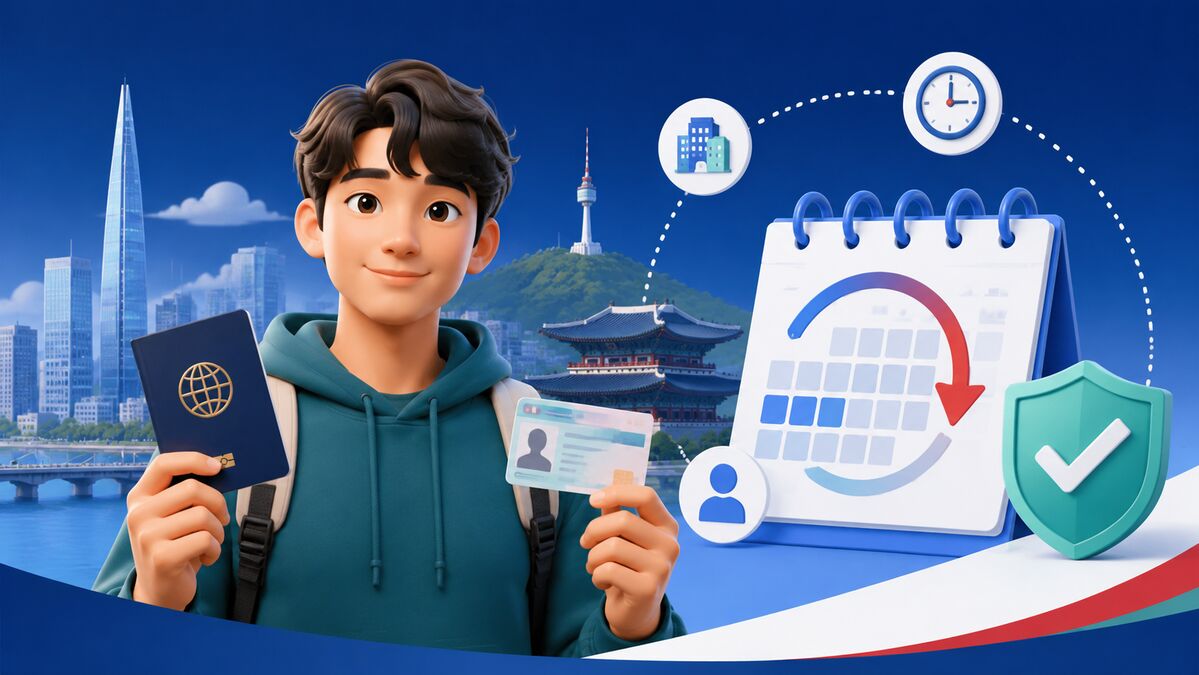
  • 한국 입국 후 외국인등록, 90일 이내 무엇을 준비해야 하나요?

    한국 입국 후 외국인등록, 90일 이내 무엇을 준비해야 하나요?

    대한민국에 입국해 90일을 초과하여 체류하려는 외국인은 원칙적으로 입국일로부터 90일 이내에 외국인등록을 해야 합니다. 국내에서 체류자격을 부여받거나 변경한 경우에는 적용 시점이 달라질 수 있으므로 허가서와 체류기간을 함께 확인해야 합니다.

    30초 핵심요약

    • 90일을 초과해 체류할 예정이라면 원칙적으로 입국일부터 90일 이내에 외국인등록을 준비합니다.
    • 방문예약은 민원 접수가 아니므로 예약일이 기한을 넘으면 관할 관서 또는 1345에 먼저 확인합니다.
    • 여권·신청서 같은 공통서류 외에 체류자격별 활동자료와 체류지 입증자료가 필요합니다.
    외국인등록 일정 흐름
    1. 1. 입국일 확인
      90일 기산점 확인
    2. 2. 대상 확인
      체류자격·예정기간 확인
    3. 3. 관할·예약
      주소지 관할과 예약일 확인
    4. 4. 서류 준비
      공통·자격별·거주자료 구분
    5. 5. 신청·수령
      접수증 보관과 수령방법 확인

    먼저 확인할 세 가지

    1. 등록 대상: 현재 체류자격과 예정 체류기간이 외국인등록 대상인지 확인합니다.
    2. 신청기한: 입국일, 체류자격 부여일 또는 변경허가일을 기준으로 기한을 확인합니다.
    3. 관할 관서: 실제 체류지 주소를 담당하는 출입국·외국인관서를 확인합니다.

    학교나 회사가 단체접수를 지원하더라도 신청 완료 여부와 등록증 수령은 본인이 확인하는 것이 안전합니다.

    기본 준비서류

    • 통합신청서
    • 현재 사용하는 여권
    • 체류자격과 규격에 맞는 사진
    • 체류지 입증자료
    • 체류자격별 활동 증빙과 추가서류
    • 수수료

    체류자격별 추가서류는 크게 다릅니다. 유학생은 재학·등록 관련 자료, 취업자는 고용·사업장 관련 자료, 투자·사업자는 법인과 투자 관련 자료가 추가될 수 있습니다. 공통목록만 준비하고 방문하면 보완이 발생할 수 있습니다.

    체류지 입증자료

    거주 형태 확인할 자료
    본인 명의 임차 임대차계약서와 실제 주소 일치 여부
    기숙사 학교·회사 등이 발급한 기숙사 거주확인서
    가족·지인 제공 숙소 숙소제공확인서와 제공자의 신분·소유 또는 임차관계 자료

    신청서 주소, 실제 거주지, 계약서 주소가 다르면 추가 설명이나 보완자료가 필요할 수 있습니다.

    신청 순서

    1. 여권의 체류자격과 체류기간을 확인합니다.
    2. 하이코리아에서 관할 관서와 방문예약 필요 여부를 확인합니다.
    3. 공통서류와 체류자격별 서류를 나누어 준비합니다.
    4. 예약일에 방문해 신청하고 지문등록 등 현장 안내를 따릅니다.
    5. 접수증과 제출자료 사본을 보관하고 등록증 수령방법을 확인합니다.

    기한과 예약일이 맞지 않을 때

    예약 가능한 날짜가 신청기한보다 늦다고 해서 예약만 해두고 기다리면 되는 것은 아닙니다. 방문예약과 민원 접수는 별개이므로, 기한 전에 관할 관서 또는 외국인종합안내센터 1345에 처리방법을 확인하세요.

    등록 후에도 신고가 필요한 경우

    체류지, 여권정보, 소속기관이나 근무처 등 등록사항이 변경되면 별도 신고 대상과 기한이 적용될 수 있습니다. 특히 체류지를 옮긴 경우에는 일반적으로 전입일부터 15일 이내에 체류지 변경신고가 필요하므로 하이코리아의 최신 안내를 확인해야 합니다.

    자주 묻는 질문

    예약일이 90일 이후라면 예약만 해두면 되나요?

    아닙니다. 예약은 방문시간을 정하는 절차이므로 신청기한을 자동으로 연장하지 않습니다. 기한 전에 관할 관서 또는 1345에 처리방법을 확인해야 합니다.

    임대차계약서가 제 명의가 아니어도 되나요?

    거주형태에 따라 숙소제공확인서와 제공자의 신분·소유 또는 임차관계 자료 등이 필요할 수 있습니다. 신청 주소와 증빙 주소가 일치하는지 먼저 확인하세요.

    학교나 회사가 단체접수하면 개인은 확인하지 않아도 되나요?

    단체접수 대상과 제출일, 보완 여부, 등록증 수령방법을 본인이 확인하는 것이 안전합니다.

    함께 확인할 안내

    하이코리아 방문예약 방법과 예약 전 확인사항

    공식 확인처

    작성·확인 기준일: 2026년 9월 27일. 실제 준비서류와 신고기한은 국적·체류자격·허가 경위·관할 관서에 따라 달라질 수 있습니다.

    전문 검토: 대한민국 등록 행정사 Moonhee Kim · 검토일 2026년 9월 27일

    전문 검토 및 상담

    다름행정사 홈페이지 · 모바일 업무안내·상담