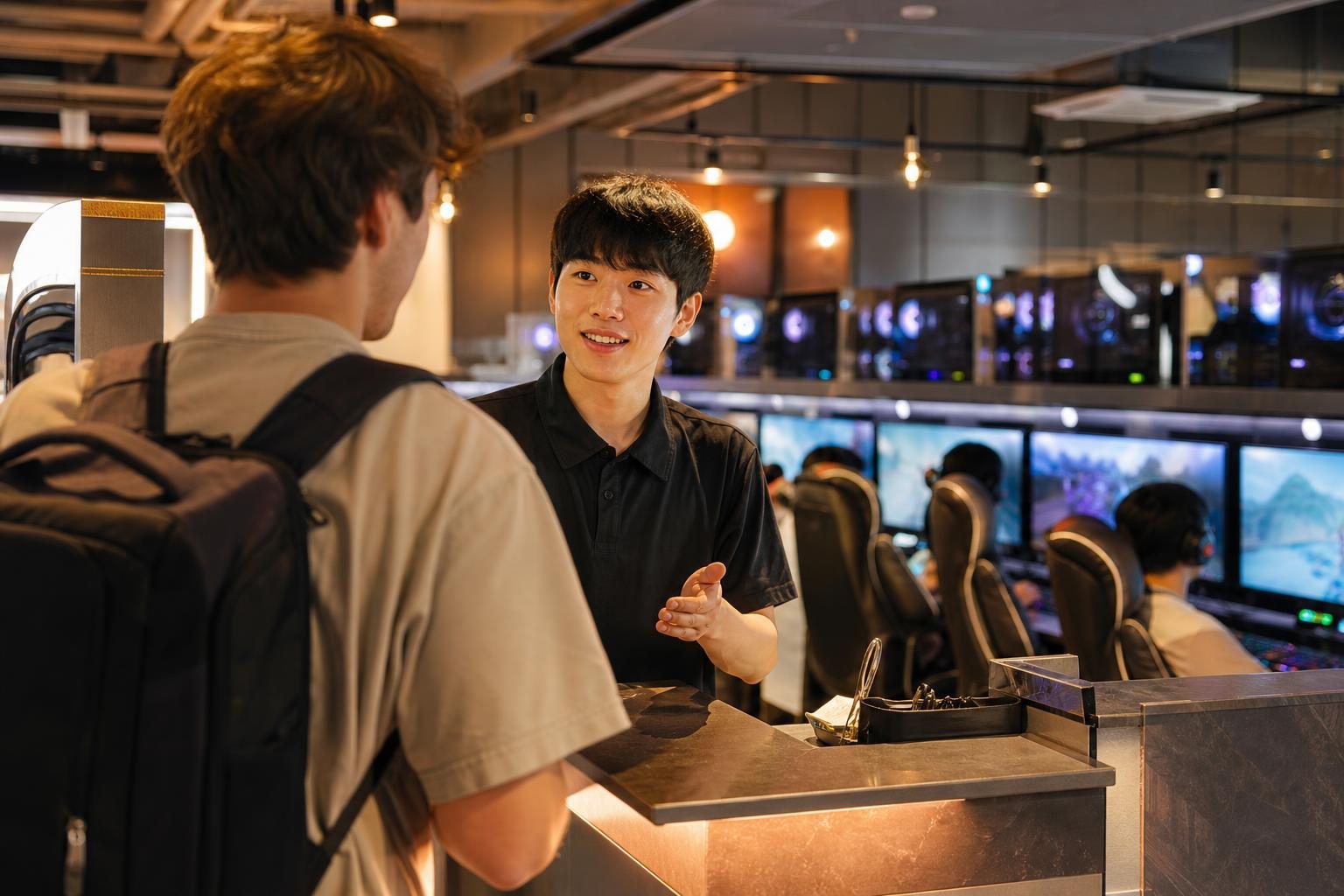
A visitor can often use a Korean PC bang without becoming a regular member, but each shop has its own rules for guest access, payment, seating, food orders, and time extensions. The most reliable approach is to go to the counter first, ask for a guest or one-time seat, confirm the price and payment method, and use only your own accounts.
For a safe visit, do not assume that every PC bang accepts overseas cards, cash, late-night customers, or every game account. Before leaving, log out of every game launcher and website, remove any downloaded files, and make sure no browser has saved your password.
This guide reflects official Korean sources cited below and is written for visitors using a public PC bang computer in 2026.
What to Expect at a Korean PC Bang
A PC bang is a public computer gaming café with numbered computers, fast internet, headsets, and a counter or kiosk for purchasing seat time. Many shops also sell meals, snacks, and drinks.
Some locations operate late or may be open around the clock, but operating hours are decided by each business. Do not assume that every PC bang is open 24 hours or that all seats, packages, and payment methods work the same way.
What to confirm before you pay
- Whether the shop offers a guest, visitor, or one-time session.
- Your seat number and whether it is a standard or premium seat.
- The amount of time you are buying and the total price.
- Whether you can add time later and what happens when time expires.
- Whether the shop accepts your overseas-issued card or cash.
Step 1: Ask for a Guest or Non-Member Seat
If you are unfamiliar with the system, go to the counter before taking a seat. Explain that you are visiting Korea and want to use a computer temporarily.
“Hi, can I use a computer as a guest? I do not have a Korean phone number or membership account.”
The shop may activate a temporary seat after payment, give you a seat number and login code, or direct you to a kiosk. Some shops may offer simple membership registration instead. Ask what information is required before entering any personal details.
If a system requires a Korean mobile number or verification that you do not have, ask whether a guest session is available. If it is not, choosing another PC bang is safer than entering inaccurate information or accepting a registration process you do not understand.
Personal-information caution
For a short session, provide only the information the shop actually needs. Do not enter passport details, card details, or account passwords into unfamiliar screens. Use your credentials only on the official game launcher or website you intend to use.
Step 2: Pick a Seat and Confirm the Price
Confirm the seat number, purchased time, total price, and expiry procedure before paying. Prices can vary by neighborhood, time of day, computer specifications, promotions, seat type, and each shop’s policy.
Premium areas with larger monitors, reclining chairs, private booths, or higher-spec computers may cost more than standard seats. A price from another branch, an old video, or an online post may not apply to the shop in front of you.
Useful questions to ask
- “How much is one hour?”
- “Is there a minimum time?”
- “Can I add more time later?”
- “Does this seat cost extra?”
- “Will the computer log out automatically when my time ends?”
Step 3: Pay With an Overseas Card or Korean Won Cash
Card payment is common in Korea, and the Korea Tourism Organization notes that international cards are widely used. However, it also advises travelers to check availability because individual merchants may not support every card type or service. Korea Tourism Organization: Currency and payment information
Bring both an international card enabled for overseas use and a modest amount of Korean won cash. Korean won is Korea’s official currency; banknotes include ₩1,000, ₩5,000, ₩10,000, and ₩50,000. Korea Tourism Organization: Currency information
If your card is declined
- Ask whether the terminal accepts overseas-issued cards.
- Ask whether staff can process payment at the counter rather than through the kiosk.
- Ask whether cash is accepted.
- If neither option works, try another PC bang.
Do not repeatedly retry a failed payment terminal. Some shop systems are designed primarily for domestic cards, Korean mobile-payment apps, or local membership systems. This does not mean all PC bangs reject foreign visitors, but it is a reason to confirm payment before activating a seat.
Step 4: Log In to Games Safely
After your seat is active, you may see a shop-management screen, a Windows desktop, or installed game launchers. Take a moment to check what is open before you sign in.
Use only your own account
- Open the official launcher or official website for the game or service.
- Check that the sign-in page is legitimate.
- Enter your credentials manually.
- Decline “remember me,” “stay signed in,” and automatic-login options.
- Do not allow the browser to save your password.
This applies to Steam, Riot Client, Battle.net, Epic Games, Xbox, Discord, and game-specific accounts. Preinstalled games or in-café benefits do not guarantee that an overseas account will work.
Check game access before buying a long session
An installed game may still require a publisher account, a region-specific launcher, age verification, identity verification, or a large update. If you only have one or two hours, check whether the game launches and whether an update is required before purchasing more time.
Step 5: Order Food and Drinks
Food and drinks are common at PC bangs. Depending on the shop, you may order through the desktop management software, a browser-based page, a kiosk, or directly at the counter.
- Check the displayed price before submitting the order.
- Confirm your seat number.
- Check whether payment is immediate or charged separately.
- Keep the order confirmation visible until the food arrives.
- Ask staff about allergies or dietary restrictions instead of relying only on photos or machine translation.
Do not enter your overseas card number into an unfamiliar ordering page unless you understand that it is the shop’s official payment system. Paying at the counter can be the simpler alternative.
Step 6: Extend Time Before It Runs Out
PC bang use is commonly sold as prepaid time. Watch the remaining-time display, especially before starting an online or ranked match.
When you have 10 to 15 minutes left
- Finish your current task or avoid starting a long match.
- Save files, screenshots, or downloads that you need.
- Add time at the kiosk, desktop system, or counter if necessary.
- Confirm that the added time appears on the timer before returning to your game.
Do not assume unused minutes can be refunded, transferred, or used at another branch. That is a shop-specific policy. When paid time expires, the computer may lock, log out, or return to the start screen. Staff may be able to reactivate the seat, but they cannot undo an in-game loss or restore a disconnected match.
Step 7: Log Out and Protect Your Information
A PC bang is a public computer environment. Treat every login as temporary, and avoid handling highly sensitive information there.
Your five-minute exit checklist
- Log out of every game launcher. Check Steam, Riot Client, Battle.net, Epic Games, Xbox, Discord, and any game-specific account.
- Log out of websites. This includes email, social media, cloud storage, travel bookings, shopping sites, and messaging services.
- Close all private browsing windows. If you used incognito or private mode, close every related window.
- Delete downloaded files. Check Downloads, Desktop, and the Recycle Bin for screenshots, tickets, documents, and other files.
- Check for saved credentials. If you accidentally saved a password or signed into a browser profile, remove it before leaving.
Tasks to avoid on a public gaming PC
- Online banking and financial-account recovery
- Cryptocurrency wallets
- Government, immigration, tax, or visa accounts
- Passport uploads
- Changing passwords for your most important accounts
- Storing private documents
Youth Entry Rules for PC Bangs in 2026
Do not describe the Korean standard simply as “under 18.” Under the Youth Protection Act, a youth is generally a person under full age 19, but a person is excluded from the youth category beginning on January 1 of the year in which they turn 19. Youth Protection Act
In practical terms for 2026, a person born in 2007 is no longer treated as a youth under this standard from January 1, 2026. A person born in 2008 or later is generally within the youth category in 2026.
For internet computer game facilities, the legal category that includes PC bangs, the youth entry period is generally 9:00 a.m. to 10:00 p.m. The regulation provides an exception outside those hours when the youth is accompanied by a parent, guardian, teacher, workplace supervisor, or another person in a genuine supervisory role. Enforcement Decree provision on youth access to internet computer game facilities
Bring a passport or other reliable photo ID if staff may question your age. Businesses can request proof of age and may refuse entry when requested identification is not provided. Youth Protection Act
The youth-entry rule is not a universal opening-hours rule. Each PC bang may have different operating hours, seating policies, and entry procedures.
Common Problems and Quick Fixes
“The kiosk asks for a Korean phone number.”
Ask staff whether they can activate a guest seat at the counter. If they cannot, choose another PC bang rather than entering inaccurate information.
“My overseas card is declined.”
Ask whether the shop accepts foreign-issued cards, then try cash or another location. A card accepted at a hotel or department store may not work with every PC bang terminal.
“The game asks for Korean identity verification.”
This is likely a publisher or account requirement that shop staff cannot bypass. Try a title that works with your current account, or ask whether another installed game is available.
“I cannot read the food-ordering screen.”
Ask at the counter, use a translation tool if appropriate, and confirm your seat number and final total before ordering.
“I forgot to log out.”
If you notice immediately, return to the computer and sign out. If you have already left, use your phone to change the affected password, review active sessions, and use the service’s sign-out-from-other-devices option where available.
FAQ
Can a tourist use a Korean PC bang without membership?
Often, yes, but it is not guaranteed. Ask for a guest, visitor, or one-time session at the counter because every shop can use a different customer-management system.
Do I need a Korean phone number?
Not always. Some PC bangs can offer guest access, while others use systems centered on local membership details. Confirm this before paying.
Can I pay with a foreign credit card?
Possibly, but not everywhere. International cards are widely used in Korea, while each merchant can have different terminal and service availability. Carry Korean won as a backup. Korea Tourism Organization: Currency and payment information
Can I use my Steam or Riot account?
You can try using your own account, but regional availability, publisher requirements, account verification, and updates can affect access. Test the game before paying for a long session.
Can I stay overnight?
Do not assume that you can. Store hours and seating policies vary. Visitors classified as youth under the Korean legal standard are generally limited to entry from 9:00 a.m. to 10:00 p.m., subject to the legal accompaniment exception. Enforcement Decree provision on youth access
Is it safe to log into email or banking?
It is safer not to use a public PC bang computer for banking or other high-risk accounts. If you must sign in to a less-sensitive service, use private browsing where available, do not save credentials, and log out completely when finished.
Final Checklist Before You Sit Down
- Ask for a guest session first.
- Confirm the price, seat number, time-expiry policy, and payment method.
- Keep Korean won cash as backup if an overseas card fails.
- Use only your own game accounts.
- Do not save passwords, browser profiles, or card details.
- Check the timer before starting a long match.
- Log out of every account and delete downloaded files before leaving.
Information current as of: 2026-08-25
Sources and references
- https://www.law.go.kr/LSW/lsInfoP.do?lsiSeq=281963
- https://www.law.go.kr/LSW/lsSideInfoP.do?docCls=jo&joBrNo=00&joNo=0016&lsiSeq=284663&urlMode=lsScJoRltInfoR
- https://english.visitkorea.or.kr/attachments/2026/05/30/dae01b5d3a2a48d2bc7c88d8b35023a8.pdf
- https://english1.visitkorea.or.kr/enu/TRV/TV_ENG_1_3.jsp
- https://law.go.kr/lsLinkCommonInfo.do?chrClsCd=010202&lsJoLnkSeq=1023466207
- https://www.law.go.kr/LSW/lsSideInfoP.do?docCls=jo&joBrNo=00&joNo=0028&lsiSeq=280149&urlMode=lsScJoRltInfoR
- https://www.law.go.kr/LSW/lsSideInfoP.do?docCls=jo&joBrNo=00&joNo=0028&lsiSeq=284871&urlMode=lsScJoRltInfoR
- https://www.law.go.kr/lsLinkCommonInfo.do?lsJoLnkSeq=1016498265
- https://www.law.go.kr/LSW/lsLawLinkInfo.do?chrClsCd=010202&lsJoLnkSeq=900211846
- https://law.go.kr/LSW/lsLinkCommonInfo.do?chrClsCd=010202&lspttninfSeq=116199